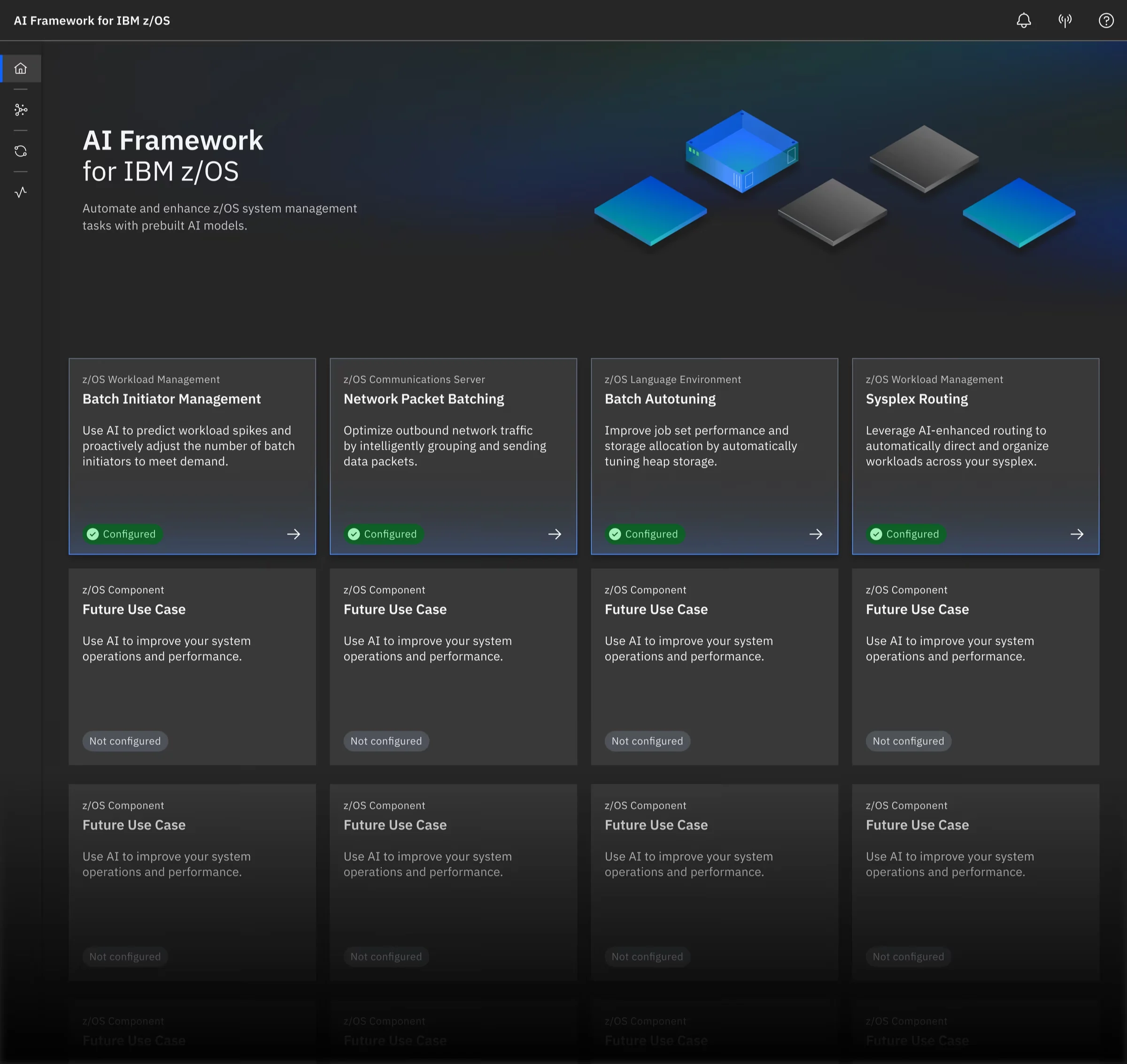
z/OS
AI Framework
A centralized place for configuring, training, monitoring, and managing AI capabilities across IBM z/OS. Over four years, I helped shape the experience from its first AI use case into a platform supporting four AI capabilities across the operating system.
The Challenge
IBM was introducing z/OS AI Framework, bringing AI-powered capabilities into core parts of the operating system. The challenge was designing the first interface for configuring, training, and managing those capabilities. As new use cases were introduced, that experience became the foundation for the platform.
AI should to feel like a capability, not another system to manage.
Objectives
Create a unified experience for configuring, training, and managing AI capabilities across IBM z/OS. Build a framework that could scale across future AI use cases while giving administrators confidence to adopt AI.
UX/Visual Designer  Design Lead
Designed the platform’s core experiences before expanding my role to include design direction, team process, and collaboration across product, engineering, and research.
 Introducing AI to z/OS


1
Introducing AI
to z/OS

Designing the First AI Experience
AI Framework introduced machine learning to IBM z/OS for the first time. Without existing interaction patterns to build from, we worked closely with engineering to translate a complex technical domain into an experience that administrators could easily understand and trust.
The domain was still taking shape, and so was the interface.
Making Sense of a New Domain
AI Framework introduced an entirely new set of concepts to z/OS. AI models, training, recommendations, and operational modes all needed a place within an interface that still felt familiar to experienced administrators. Working closely with engineering and our users, we developed a shared understanding of the domain before designing it into a single, unified platform.
Designing for Growth
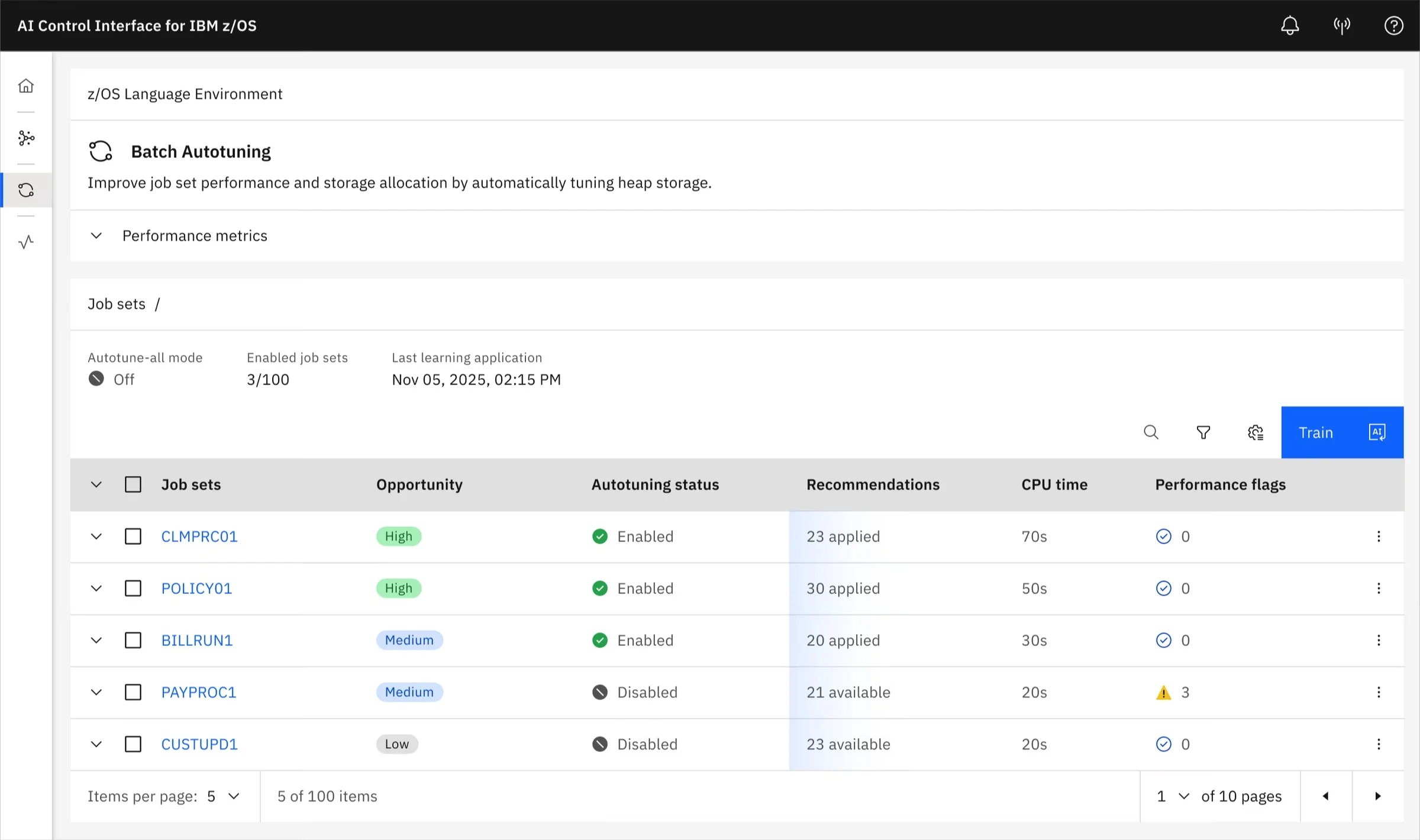
Although Workload Management was the first AI capability, the platform was always intended to grow. As Language Environment and additional AI capabilities followed, shared navigation, interaction patterns, and workflows provided continuity while allowing each experience to adapt to the needs of its own specific domain.
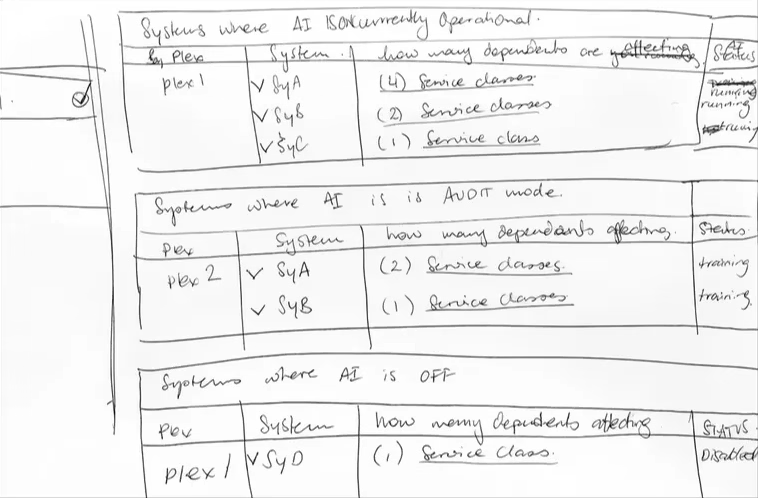
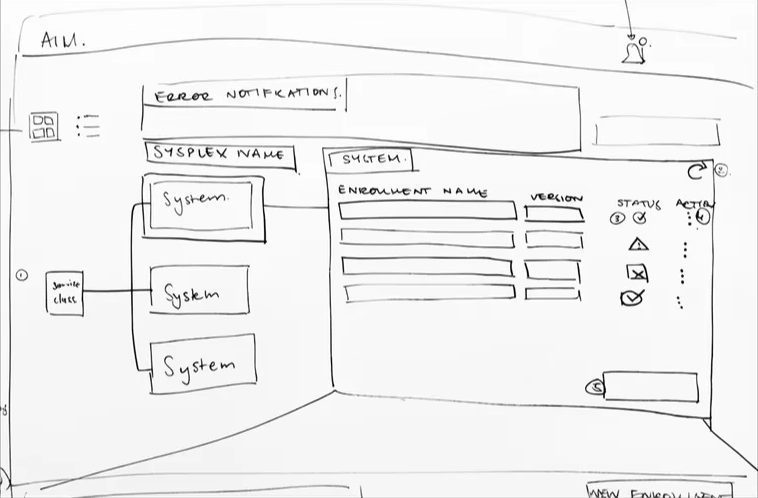
ProcessEarly explorations focused on how administrators naturally think about their environments.
We experimented with different ways of organizing systems, service classes, and AI enrollments before converging on a workspace that felt familiar to experienced z/OS users.
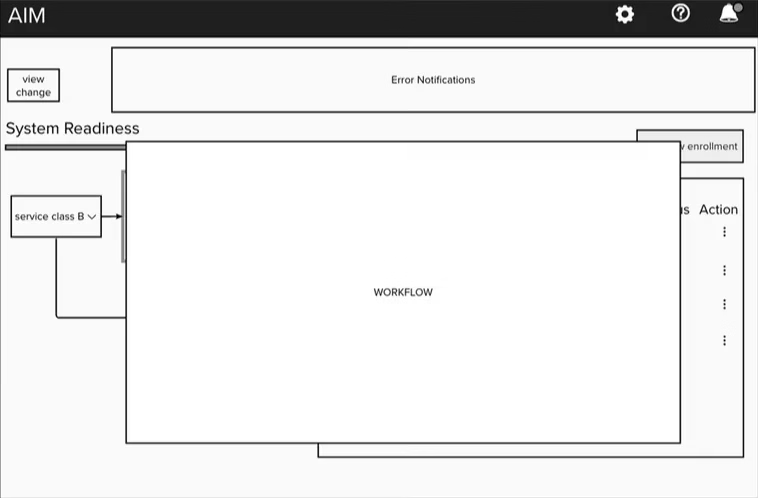
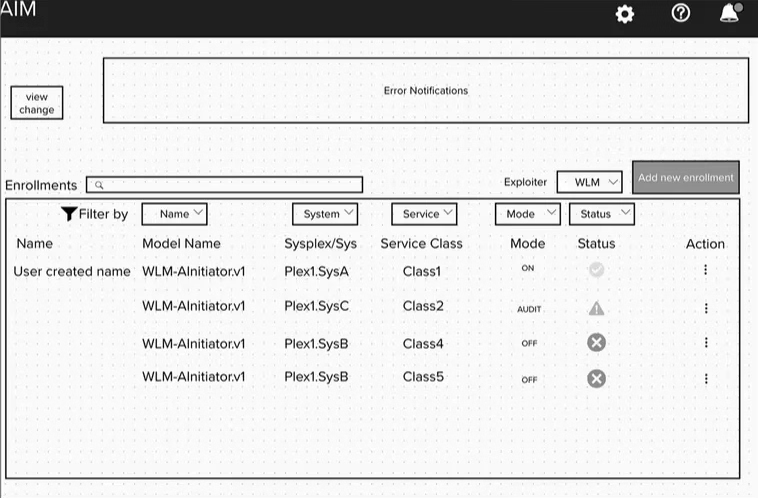
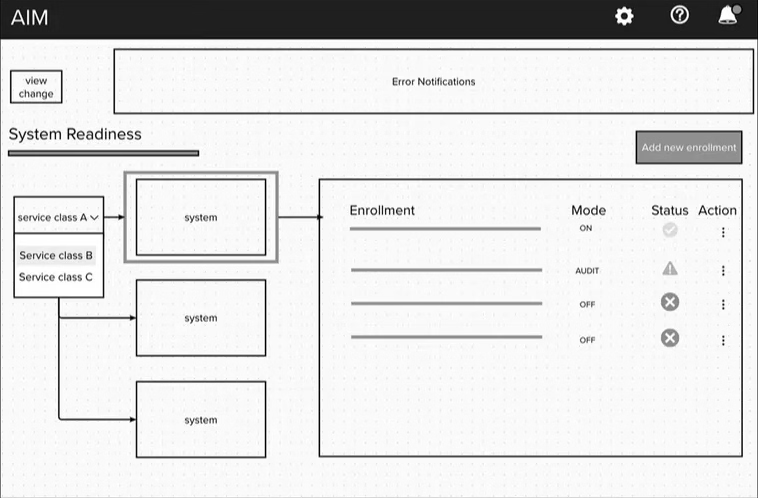
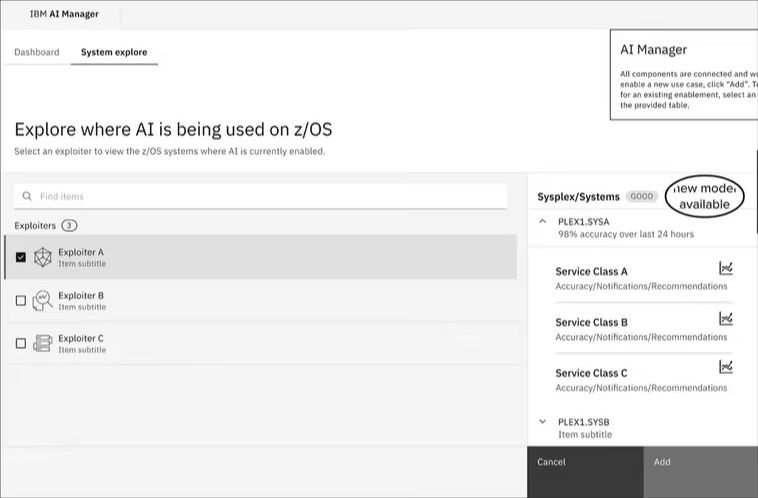
To-beWorkload Management.
The first implementation introduced the core workflow for training models, reviewing results, and enabling AI for individual service classes.
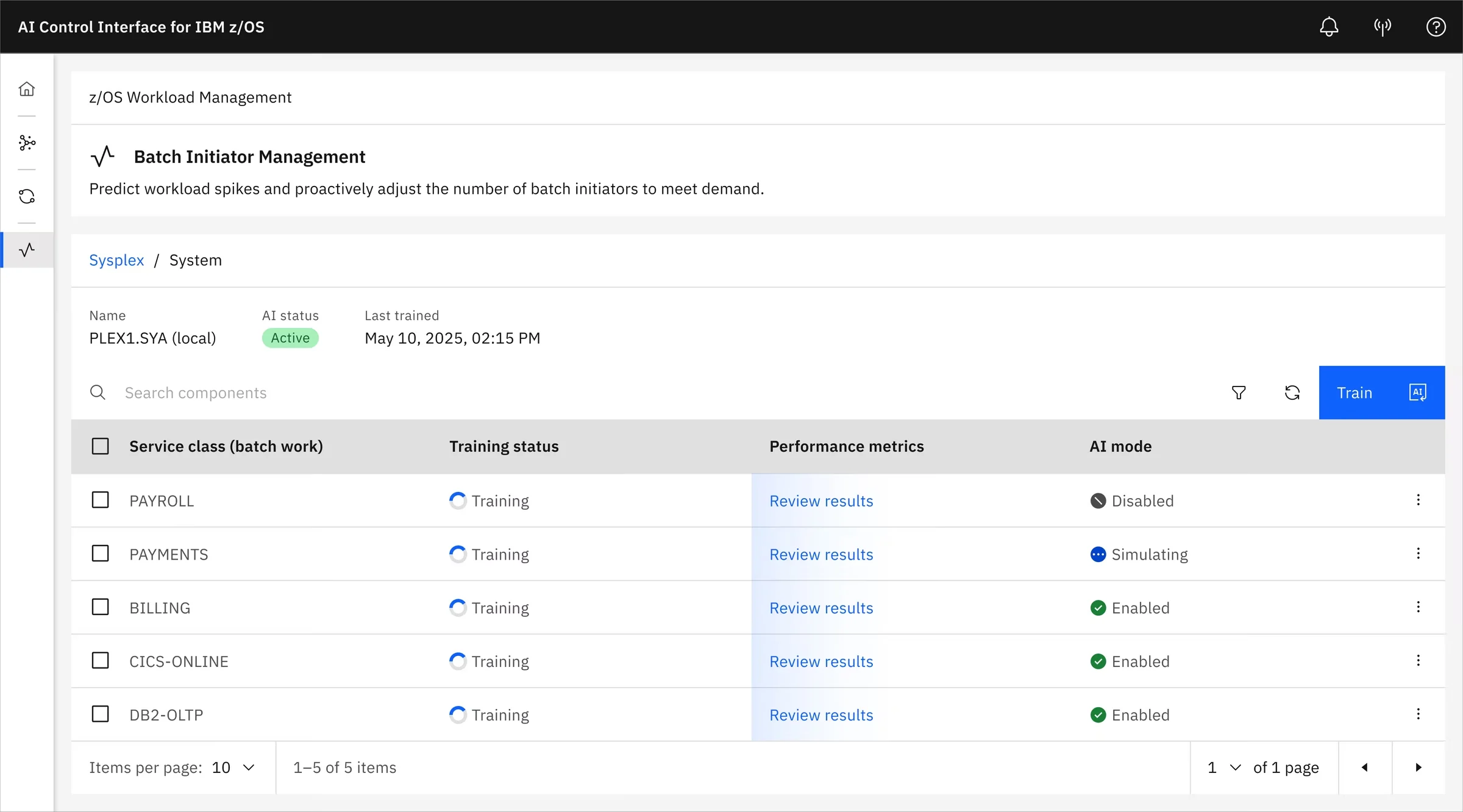
Language Environment.
Shared design patterns reduced the learning curve, allowing users to focus on the unique behaviors of each AI capability rather than relearning the interface.
2
Designing
Trust & Confidence
AI recommendations only become useful if administrators are willing to act on them. Because these systems directly affect production workloads, every recommendation needed to be understandable, transparent, and easy to validate before it could be fully trusted.
How do you convince a conservative, highly technical admin to trust AI?
Seeing is Believing
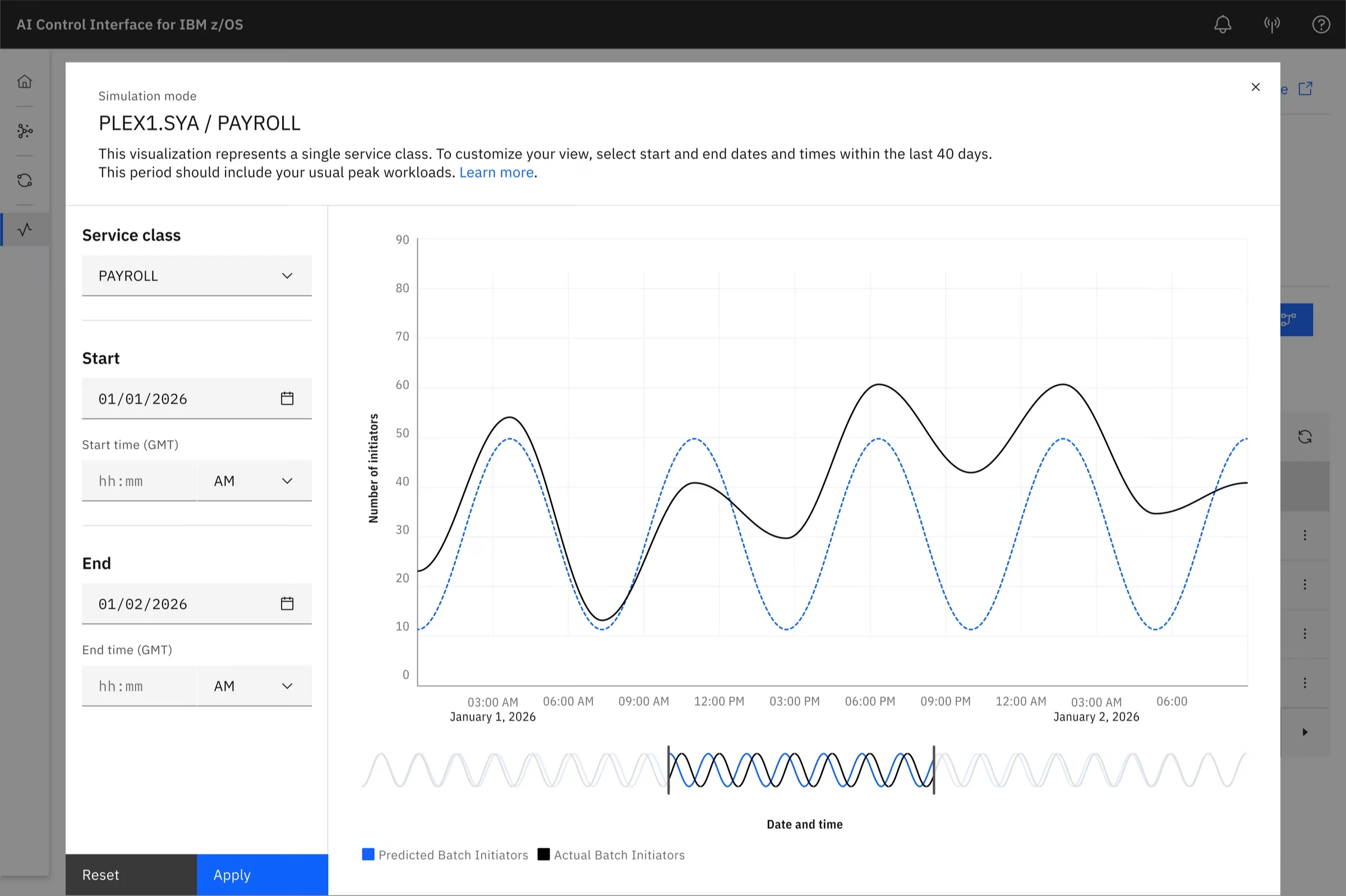
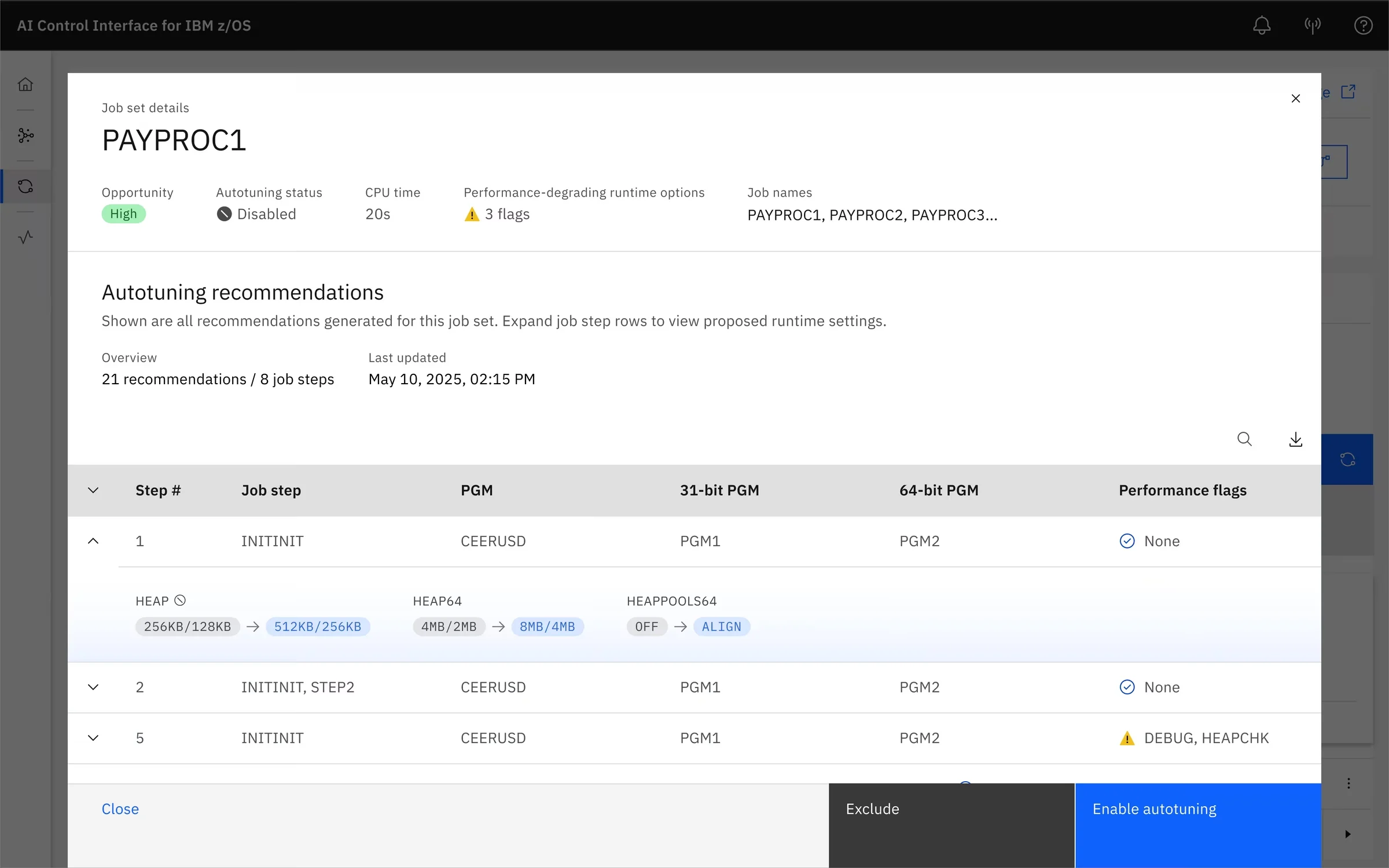
Every recommendation could be inspected before it was enabled. Simulations compared predicted and historical behavior, while detailed runtime options explained exactly what AI proposed changing. The goal was to keep users in control throughout every stage of their adoption process.
Earning Confidence
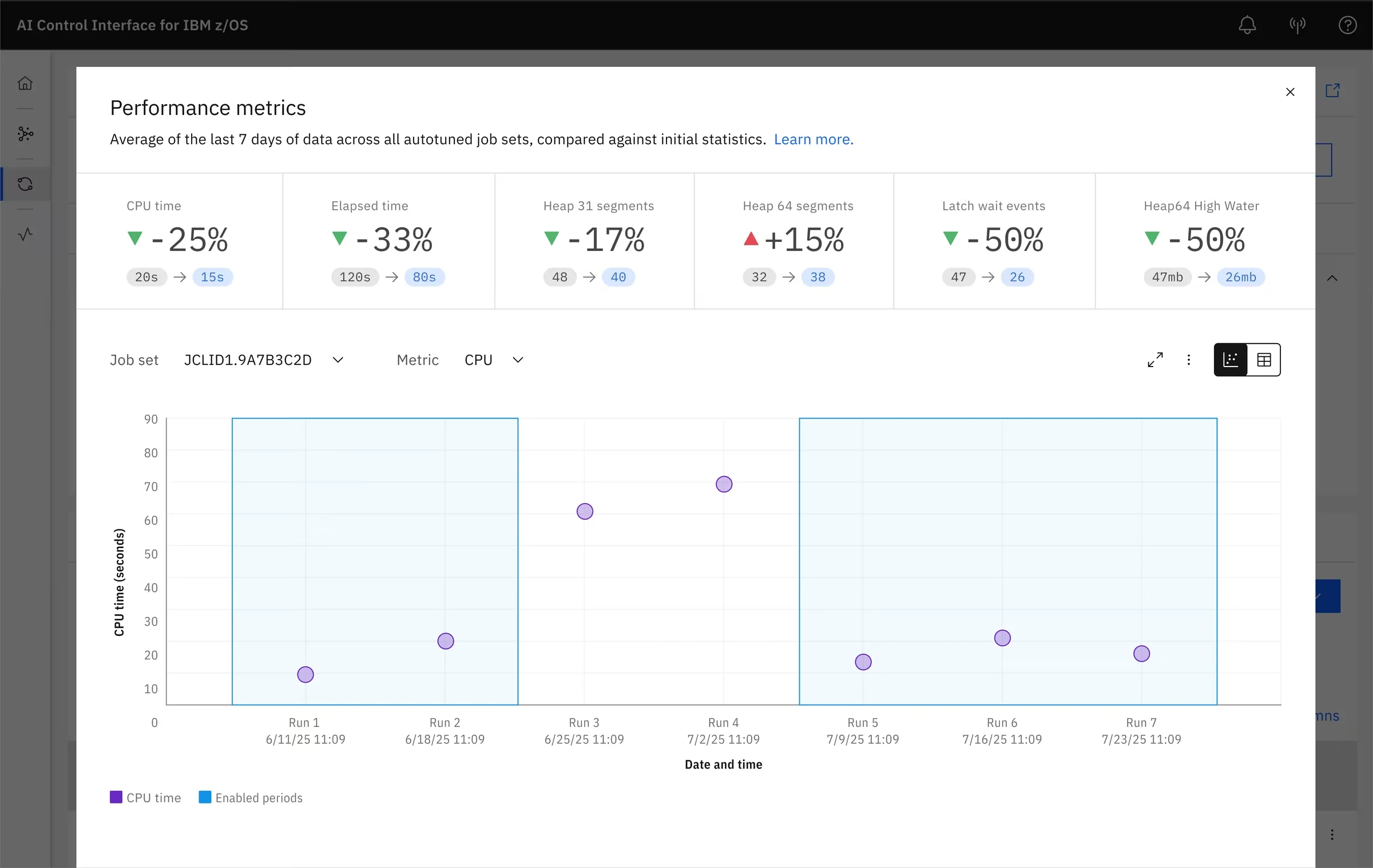
Performance metrics made it possible to compare historical and AI-enabled runs over time. Improvements became visible through familiar operational data, giving administrators another way to evaluate AI as they expanded adoption across their production environments.
Seeing is believing.
Compare predicted and historical workload patterns before enabling AI, allowing administrators to evaluate recommendations using familiar operational data.
Trust before automation.
AI exposed the reasoning behind each recommendation so administrators could validate individual tuning decisions before adopting automated optimization.
Confidence through evidence.
Performance metrics compared historical and AI-enabled runs, helping administrators understand how recommendations affected CPU time, memory usage, and other runtime characteristics.
3
Designing
for Growth
The platform was always intended to support many AI capabilities across IBM z/OS. Each new use case introduced different workflows and technical requirements, but they all still felt like part of the same family.
The platform kept growing.
The design kept up.
A Foundation for the Future
Over four years, the platform expanded from a single AI capability to multiple production experiences, with additional concepts already underway. Designing for growth meant new capabilities could build on an established foundation instead of starting over from scratch.